Bring your own experience into the AI learning conversation
Personal background documents give learners an optional source of context for AI conversations, with a clear choice about when to include them.
Every learner arrives with experience that a course outline cannot fully describe. A background document can add useful context about that experience, helping a learner explain what they already know or what they want to connect to a new topic.
eDoer connects personal Background Documents with an optional Use my background choice in the learner’s AI Dock. Learners can maintain their own documents and decide when to include them in a request. It is a personal knowledge base with a deliberate place in the conversation.
Maintain the background you want to bring
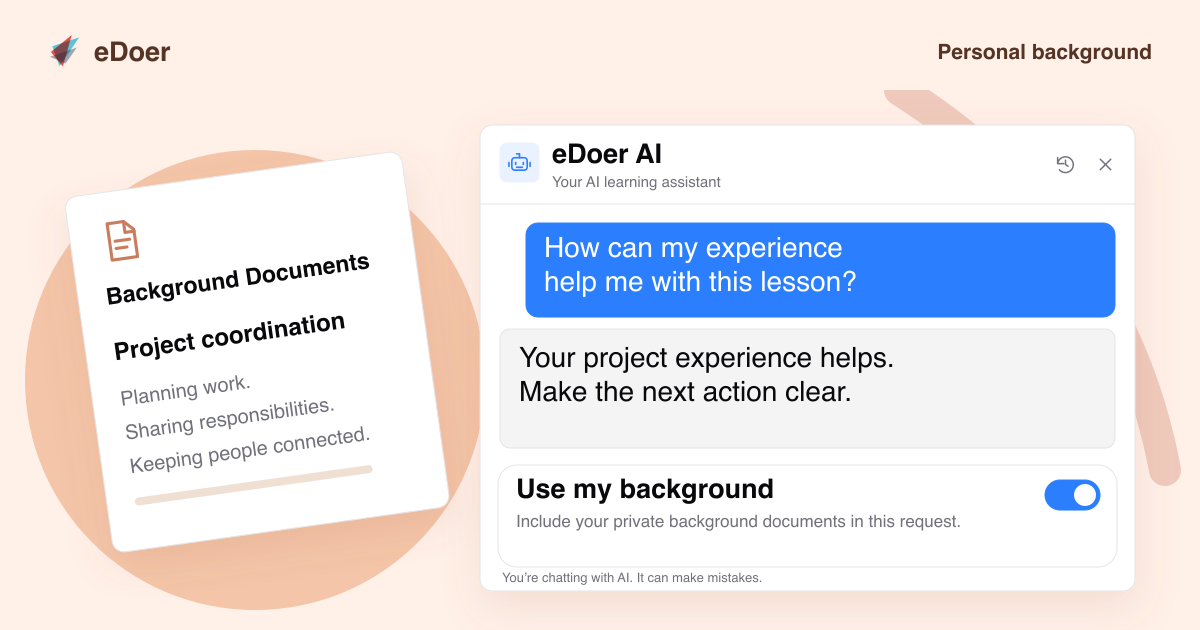
Open the learner profile and choose Background Documents to upload and manage private personal documents. Learners can see the files they have added and remove material that no longer reflects the context they want to use.
For example, a learner could provide a document describing their professional experience or learning goals. The value comes from choosing information that helps explain their starting point. A concise, relevant document gives a conversation a more useful foundation than expecting the AI to infer someone’s background.
Choose when the background matters
When learner AI is enabled and personal background documents are available, the AI Dock composer shows Use my background above the message field. The option starts switched off. Enabling it includes the learner’s background documents for that request; leaving it off keeps that optional context out of the request.
This makes the choice visible where the question is being asked. A learner can bring personal context into a request for an explanation or a learning recommendation when it is relevant, while continuing to use the ordinary conversation for other questions.
Make a more grounded connection to the learning goal
Consider someone moving into a new role who has uploaded a short description of their experience coordinating projects. While reading a lesson about team handovers, they can enable Use my background and ask, “How can my experience help me with this lesson?” The document adds personal context to a question about the learning in front of them.
Organization learning resources and personal background have different roles. The organization provides the learning content available to the learner, while personal documents add optional individual context. Keep those documents relevant, review the answer, and use the conversation to clarify what you want to learn next.
The takeaway
Personal context is most useful when learners choose it deliberately. Background Documents and Use my background make that choice part of the AI conversation.