Custom AI actions: reuse your team’s prompts
Save common AI instructions as named actions, add the inputs they need, and use them while creating learning content.
Some authoring tasks come up often, such as drafting an introduction or creating reflection questions. Writing the same AI instructions each time takes extra work.
Custom AI actions turn those instructions into named shortcuts in eDoer. The organization sets up the prompt; curators fill in the details and review the result.
Save instructions for a repeat task
In the organization’s AI settings, create a custom action with a clear name and description. Add a prompt that explains what you want the AI to do.
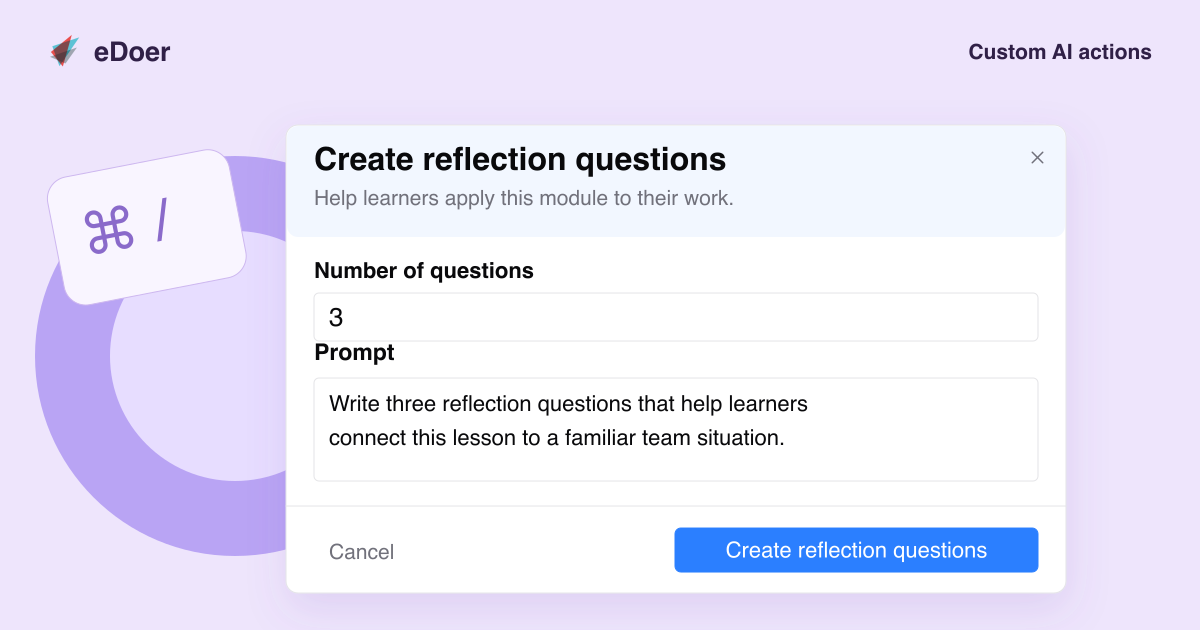
An action called Create reflection questions, for example, could ask for questions about the module an author is working on.
Ask for the details that matter
Add fields for information the task needs, such as the audience or number of questions. Inputs can include text, numbers and choices.
When a curator opens the action, they fill in the fields, review the editable prompt, and start the request using the button with the action’s name.
Make the action easy to find
Organize actions into groups and choose where they appear, such as the learning-path workspace, module editor or assessment editor.
Curators can then use an action during their work, review the AI response, and decide what to include in the content.
The takeaway
Save a useful prompt once, then let your team reuse it with the details each task needs.