Organization branding: choose your colours, logo and covers
Make your eDoer workspace recognizable with a theme, your logo and dashboard cover images.
Your organization’s colours and images help people recognize its learning space. In eDoer, administrators can choose a theme and upload a logo and cover images.
Theme colours and images are managed in separate areas, so you can update each part of the appearance.
Choose and save a theme
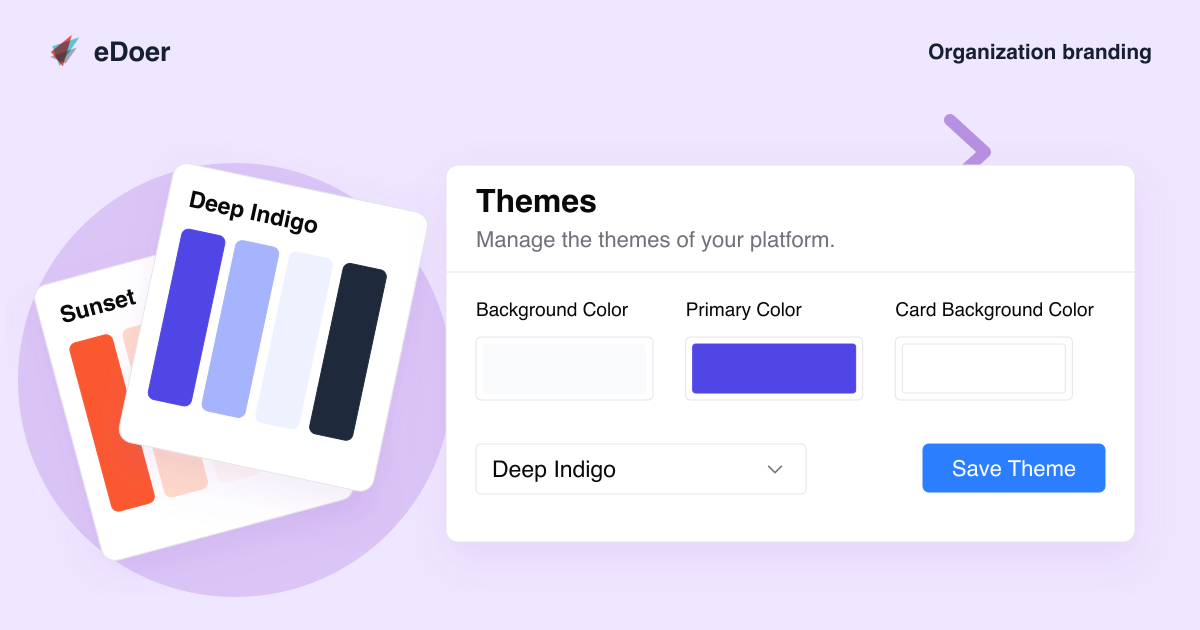
Open Themes and choose a preset such as Deep Indigo, Emerald Professional or Sunset. Adjust the individual colour inputs if you want to use your own colours.
Choose Save Theme to apply the changes. The settings cover backgrounds, text, cards and the primary colour used by important controls.
Add a logo and main cover
Open Images to upload the Main logo and Main Cover. Save the changes after choosing your images.
Use a logo people recognize and a cover image that suits your organization or programme.
Set dashboard cover images
Learner Cover sets the image for the learner dashboard. Team Cover sets the image for the curator dashboard.
The two views can use different images while keeping the same organization identity.
Check the result
Open the learner and curator views to check the saved appearance. Make sure text is easy to read, buttons stand out and cover images still look right when cropped.
The takeaway
Choose a theme, add your logo and cover images, then check how the workspace looks.