Certificates: create and share a record of learning
Design a certificate, choose when learners receive it, and let others check it using a link or QR code.
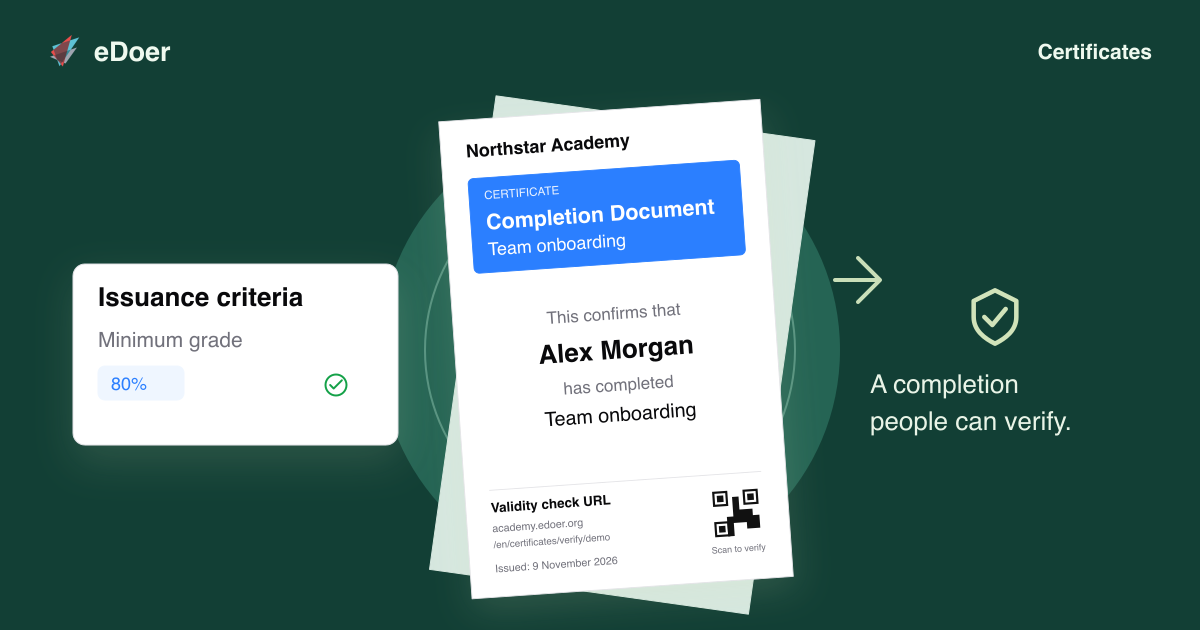
Certificates give learners a record of an achievement in a learning path. eDoer lets organizations choose the award criteria and create a document for each recipient.
The certificate includes a verification link and QR code so others can check whether it is valid.
Choose how certificates are awarded
In a learning path’s Certificates area, enable issuance and choose how learners receive the award.
Automatic issuance uses a selected assessment and minimum grade. Manual issuance lets curators award certificates to selected learners.
Design and preview the certificate
Use Template body to write the certificate text. Placeholders fill in details such as the learner’s name, the learning-path title and the issue date.
Choose Show Preview to see a portrait A4 document with sample details. You can also choose how long newly issued certificates remain valid.
Share a certificate others can check
Each issued certificate has a unique verification code, link and QR code. Someone viewing the record can use them to check its current validity in eDoer.
Keep issued records consistent
eDoer stores the template as it was when the certificate was issued. Changing the template later does not change certificates already awarded.
Recipients can open and print the finished document when they need a copy.
The takeaway
Set the award criteria, create the certificate, and give learners a record others can verify.