Live sessions: schedule meetings and calls in eDoer
Set a time, choose who can join, and meet from your learning path or organization.
Some questions are easier to answer in a live conversation. Live sessions let organizations schedule meetings, workshops and calls inside eDoer.
A session can be connected to a learning path or held for the wider organization. Participants find the session in eDoer and join from there.
Create a session
Open Live sessions and choose Create session. Add a title, an optional description, a start time and a duration.
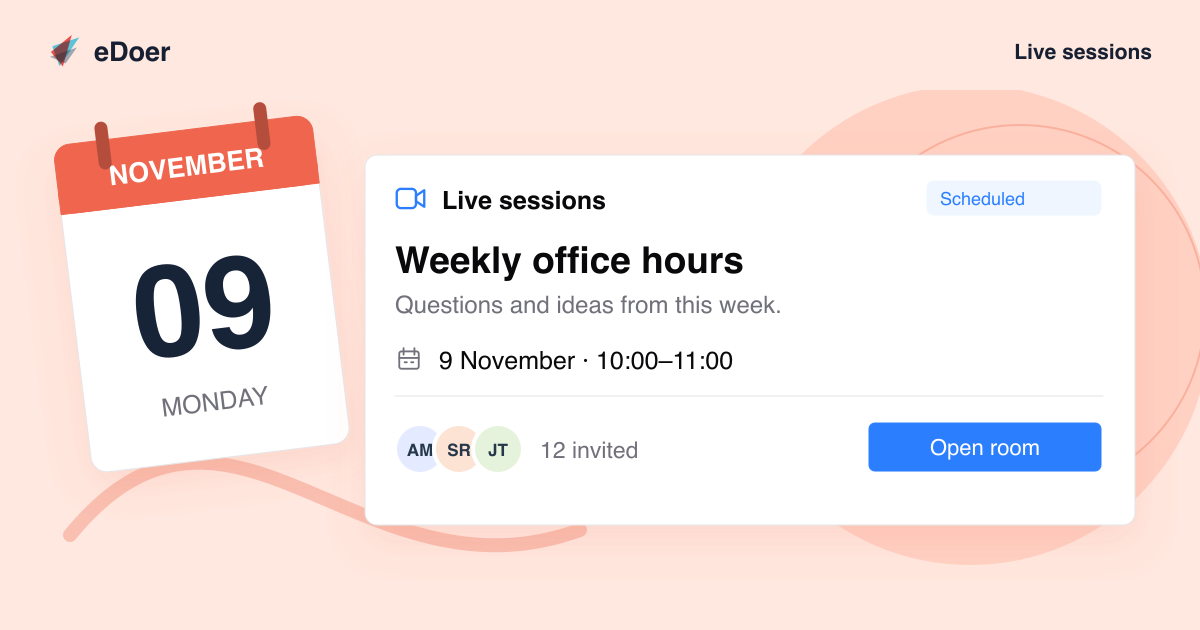
For example, Weekly office hours could give learners a regular time to ask questions about a course.
Choose the audience and moderators
Set the Audience and select the Moderators who will host. A learning-path session can include all learners on the path or selected learners.
Choose Interactive when attendees should take part in the conversation, or Watch-only when they should watch the moderators present.
Open the room and start the meeting
A moderator chooses Open room, then Start session to begin the meeting. The call opens inside eDoer.
Find and join a session
Learners can find upcoming or active sessions on their dashboard and in the relevant learning path. Session cards show the title, time and participation details.
The Scheduled, Live and Ended labels show the session’s current state.
The takeaway
Schedule a session, choose the participants, and meet inside eDoer.