Files and documents: keep learning resources in one place
Upload and organize files, reuse them in your modules, and see where they are used.
Learning paths rely on documents, images and other files. The Organization Library gives your team one place to store and find those resources.
Curators can reuse these files while building learning content and check where a resource already appears.
Upload and organize your files
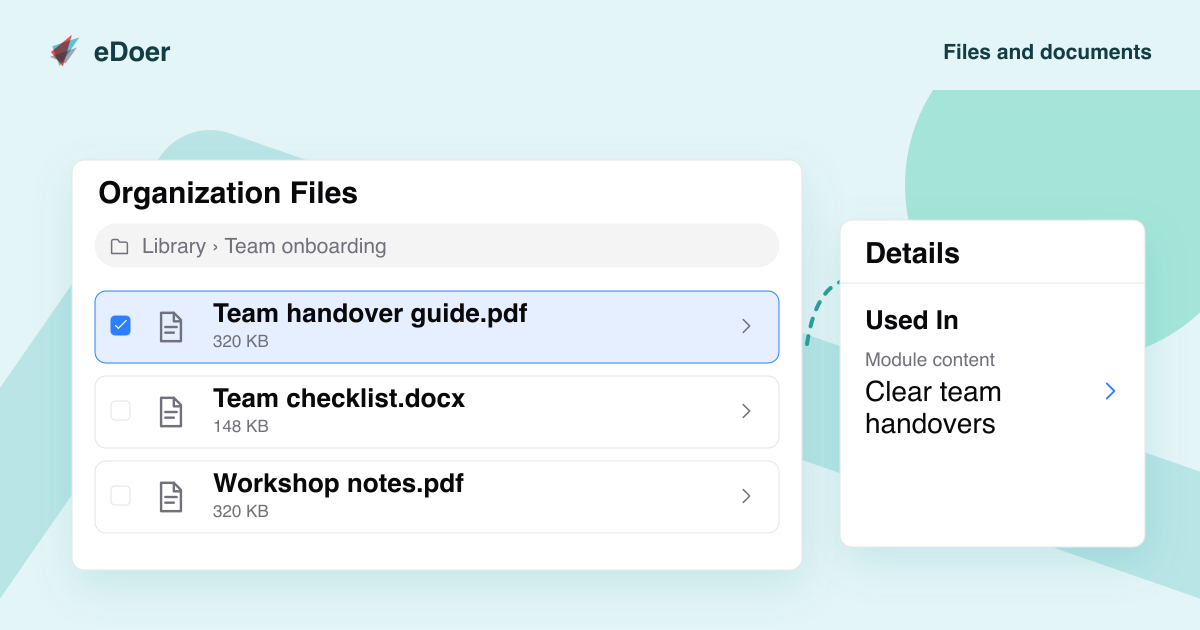
Open Files in the organization workspace. Upload files and create folders to keep related materials together. A folder for team onboarding, for example, could hold a guide, a checklist and workshop notes.
Use clear names so other authors can find what they need. You can rename or move items, follow the folder trail, and use search and sorting to find a resource.
Reuse files in learning content
When adding a file to a module or learning path, choose an existing resource from the library. You can use the materials available to your role without uploading them again.
See where a file is used
Select a file to open its Details panel. Look at Used In to see which modules or other content refer to the file.
Check those references before removing a resource. Access and available actions depend on your role and permissions; files that are still in use may have deletion restrictions.
The takeaway
Keep files organized, reuse them in your learning content, and check where they are used.