Your organization, your learning environment
Bring your identity into eDoer with organization themes, logos and cover photographs.
A learning environment is also a place people enter. Its colours, imagery and visual identity help introduce the organization behind the experience, whether participants are joining a professional programme, a community or an internal learning space.
Organization branding in eDoer gives teams control over those visual details. Themes, a logo and cover photographs help organizations create an environment that belongs to their programme and the people taking part.
Start with a coherent theme
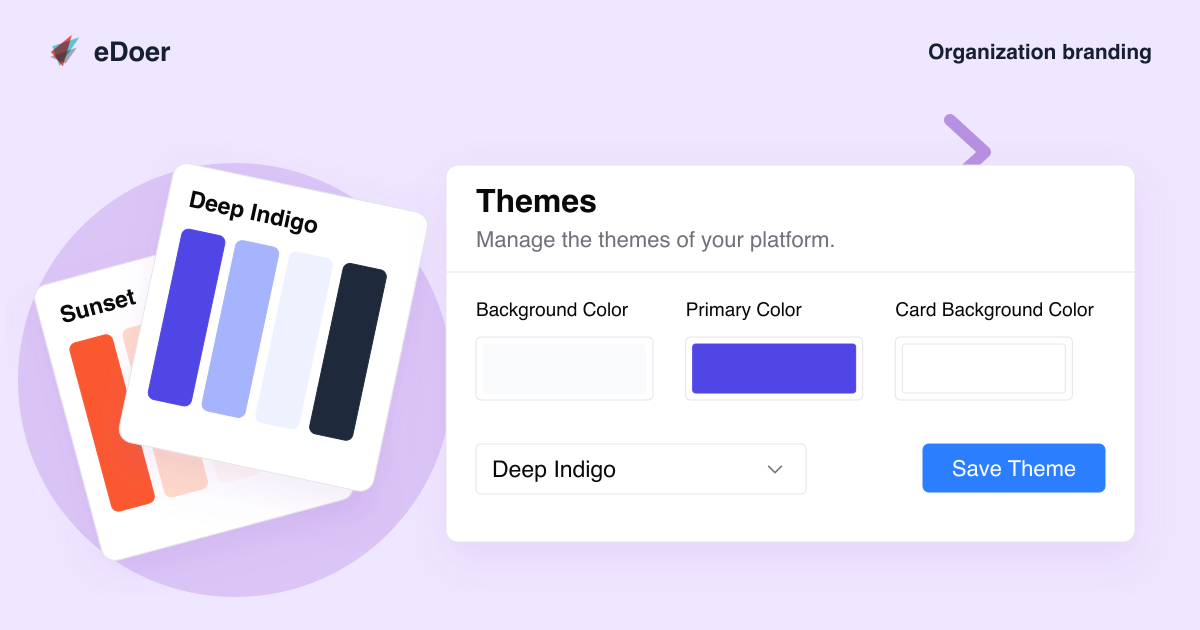
Organizations can adjust the interface colour palette or choose a preset theme as a starting point. The available settings cover elements such as the main background, primary colour, cards, text and supporting interface colours.
A preset can help a team begin with a coordinated palette, while individual colour settings allow it to move closer to an established identity. Consider how the colours work together across everyday tasks, not only how they look in a single view.
Give the environment a familiar face
The organization image settings provide a place for a logo and cover images. A logo establishes who is behind the learning experience, while a cover photograph can introduce the programme’s people, setting or subject.
A carefully chosen photograph can give a broad learning space a more specific character. For example, an organization might use an image of its team or a scene connected to the work participants will be exploring.
Consider learners and curators
eDoer supports separate cover images for the learner and curator dashboards, alongside the organization cover. These settings allow the two roles to share a recognizable identity while having imagery suited to their part of the experience.
A learner-facing cover might introduce the programme, while the curator view might use a different image from the same visual collection. Keeping the relationship clear helps the environment feel intentional across roles.
- Set an organization logo and cover image.
- Choose learner and curator dashboard covers.
- Use a preset theme or adjust the colour palette.
Review the experience in use
After choosing a theme and images, walk through the views participants use most. Check that text remains easy to read, important controls stand out and photographs still make sense when cropped into a wide cover.
The aim is a familiar, usable place to learn. With a consistent palette and a small set of purposeful images, an organization can bring its identity into eDoer and carry that identity through the learning experience.
A lényeg
Use themes and purposeful imagery to make your organization’s learning environment recognizable and easy to use.