Give learning ideas a visual form with AI image generation
Create an illustration from the learning content you are developing, review the result, and bring it into your module without leaving eDoer.
An example can make an unfamiliar idea easier to approach. Sometimes that example needs a picture: a workplace situation, a visual metaphor, or an illustration that gives a lesson a more concrete starting point. Finding a suitable image can interrupt the work of building the lesson itself.
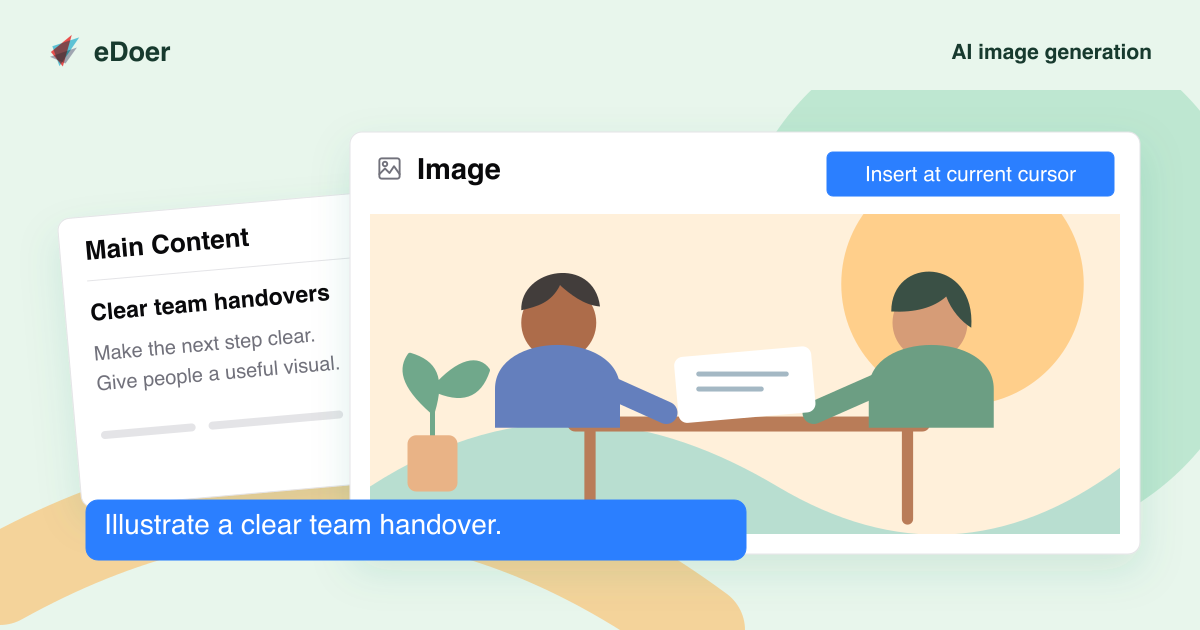
AI image generation brings that creative step into eDoer. Curators can work with the AI Dock to develop an image suggestion for a module, review it, and use the generated result in the learning content. The learning objective remains the starting point for the visual.
Start with the lesson you want to teach
A useful image begins with a clear purpose. Describe what learners should notice, the situation they should recognize, and the style that suits the audience. The AI conversation can help turn that intent into a concrete image prompt while you continue developing the module.
For example, an onboarding author might ask for an illustration of a team preparing for a handover. That gives the image a specific role in the discussion that follows, instead of adding a picture simply to fill an empty space.
Keep the author in charge of the result
The AI presents an image action for the curator to confirm. Once the image has been generated, the author can review its suitability and bring it into the rich text content. Generation and editorial judgment belong in the same workflow.
Review the details that matter for the lesson: whether the scene supports the explanation, whether its meaning is clear, and whether an accompanying description is helpful. An illustration should earn its place by contributing to the learning experience.
Make visuals part of your learning design
This opens a practical option for teams creating their own learning materials. A curator can explore a visual for a scenario, introduce a topic with a relevant illustration, or give learners something concrete to reflect on before an activity.
The feature works within the organization’s AI access and usage settings. Start with one module where a visual would clarify the idea, then review the generated image alongside the text it will accompany before saving the final content.
Das Wichtigste
A useful learning image starts with an instructional purpose. eDoer brings image generation and the author’s review into the module creation workflow.